Published:
Last updated:
From a random tweet to reverse engineering my Philips TV. A story about AI, curiosity, and how easy it has become to build your own tools.
A few days ago, I saw someone on X controlling their air conditioner from a Mac. I thought it was cool. Just a small tool making everyday life a little easier.
Then my timeline started showing me people doing similar things with their TVs. Small menu bar apps. A few buttons. No need to pick up the remote.
And I thought: why don’t I have this?
I have a Philips 55PML9019 running Titan OS, a MacBook, and a remote that somehow always ends up on the other side of the sofa. I wanted to click an icon in the menu bar, open YouTube or Disney+, adjust the volume, switch an input, and get back to whatever I was doing.
So I opened an AI coding assistant and started describing the app I wanted. That was the entire starting point.
I did not expect the next part to involve Android APKs, local network protocols and a lot of 403 Forbidden responses.
It started with a few tweets
First was @the_mcnaveen’s air-conditioner post.
Then came @greco_dev’s TV menu bar posts (one and two), and the open-source TVmenubar-MacOS project.
I also came across other TV experiments, including @SimbasJungles and free-my-tv, plus more posts from @0xProbabillity and @chiziaruhoma.
What I liked was not how complicated any of them looked. It was the opposite. Someone had an idea for a small thing they wanted, so they made it.
There was just one catch. The examples I found weren’t built for my TV. Mine runs Titan OS.
My TV was not interested in cooperating
I actually like my Philips TV. The picture is great and Ambilight is one of my favourite features. I’m less enthusiastic about the software.
There are recommendations, banners and ads on the home screen. At one point during our tests, I was staring at a Lidl ad while trying to figure out why a command didn’t work. Very helpful, thanks.
We started with JointSpace, an interface used to control Philips televisions. Sending some basic remote commands worked. Asking for the list of applications or trying to launch one directly was another story.
403 Forbidden.
I wasn’t asking it to do anything extraordinary. I wanted to click Disney+ on my Mac and have Disney+ open on my TV.
The first win: YouTube
Instead of repeating the same failing request, I asked the AI to search the documentation, developer projects, forums and Reddit. I also asked it to split the research between agents so we could investigate different approaches in parallel.
We discovered that the TV exposed DIAL, a protocol used to launch supported streaming applications on the local network. It was listening on port 56789.
Our first YouTube launch attempt? Another 403.
Eventually the tests showed that some app launches needed a particular HTTP Origin header. With the accepted header, the YouTube launch returned a success response.
Then YouTube actually opened on the television.
That last part matters. An API can return 200 without doing what you expected. The AI was sending requests from my Mac; I was watching the actual screen and telling it what happened.
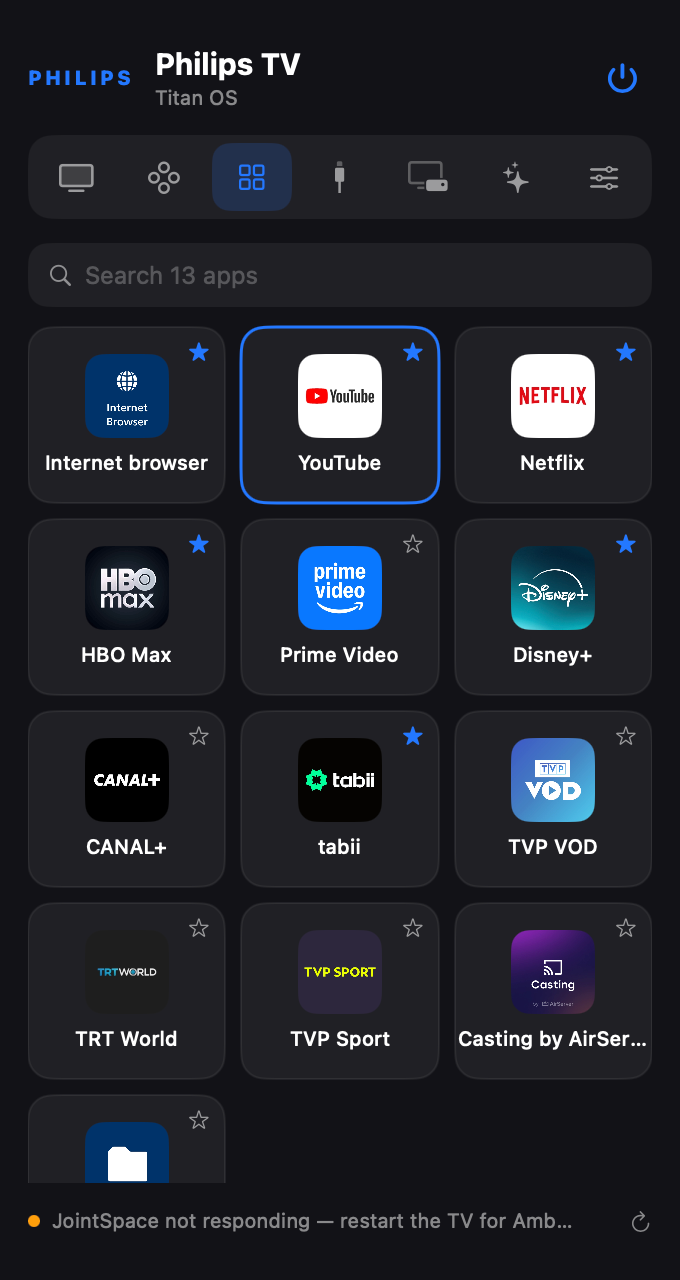
Netflix worked. Prime Video worked. We finally had real one-click launches.
Disney+ and HBO Max, however, weren’t available through the TV’s DIAL app list. And those were the ones I still wanted.
No, I don’t want a macro
The AI suggested a fallback: go Home, move around the app tiles with virtual arrow keys, and press OK. Basically a recording of remote-control clicks.
I said no.
What if the order of the apps changes? What if the home screen changes? What if another wonderful Lidl banner gets in the way? I didn’t want a fragile trick that happened to work today. I wanted to open the actual application.
I also knew that my physical remote had a Disney+ button. Surely the TV had some internal way of understanding that request.
We tried candidate button names. We inspected activity endpoints. One browser-related call even returned HTTP 200, but the TV stayed on its home screen. It turned out not to be the shortcut we had hoped for.
So we stopped treating a successful HTTP status as proof, and changed direction again.
Looking inside the official apps
We decided to inspect the Android apps that were already able to communicate with the TV. If a phone can control it, there must be a protocol somewhere.
I suggested looking into REA as part of the reverse engineering research. The actual APK decompilation in our session was done with tools including JADX.
First we examined the Philips Smart TV app. It taught us more about the existing JointSpace behaviour, but not how to launch the Titan OS apps we wanted.
Then we investigated Titan OS Mobile.
That was the turning point. The Android app used MQTT over TLS to talk to a local service on the TV, on port 8883. There was a separate pairing flow and messages for TV controls and application launching.
This was a different way into the functionality we needed. Not the original API endpoint that had been refusing our requests.
The first successful Disney+ launch
Pairing did not work immediately. After comparing the request with what we found in the app code, we corrected a detail in the message format and tried again.
The television showed a PIN. I entered it. The connection worked.
Then we tried Disney+.
The message went out over MQTT. The television reacted. And Disney+ opened.
We tested HBO Max too. That opened as well. Later we also checked other applications, including tabii and the TV browser.
I had started this with a simple menu bar idea. Now we had found a communication path used by the TV’s own companion app.
For me, this was the most satisfying moment of the entire project. Not because it was a complicated hack, but because we had stopped guessing and finally understood enough to make it work.
Making something I would actually use
A terminal command is a nice proof of concept. It is not the app I wanted.
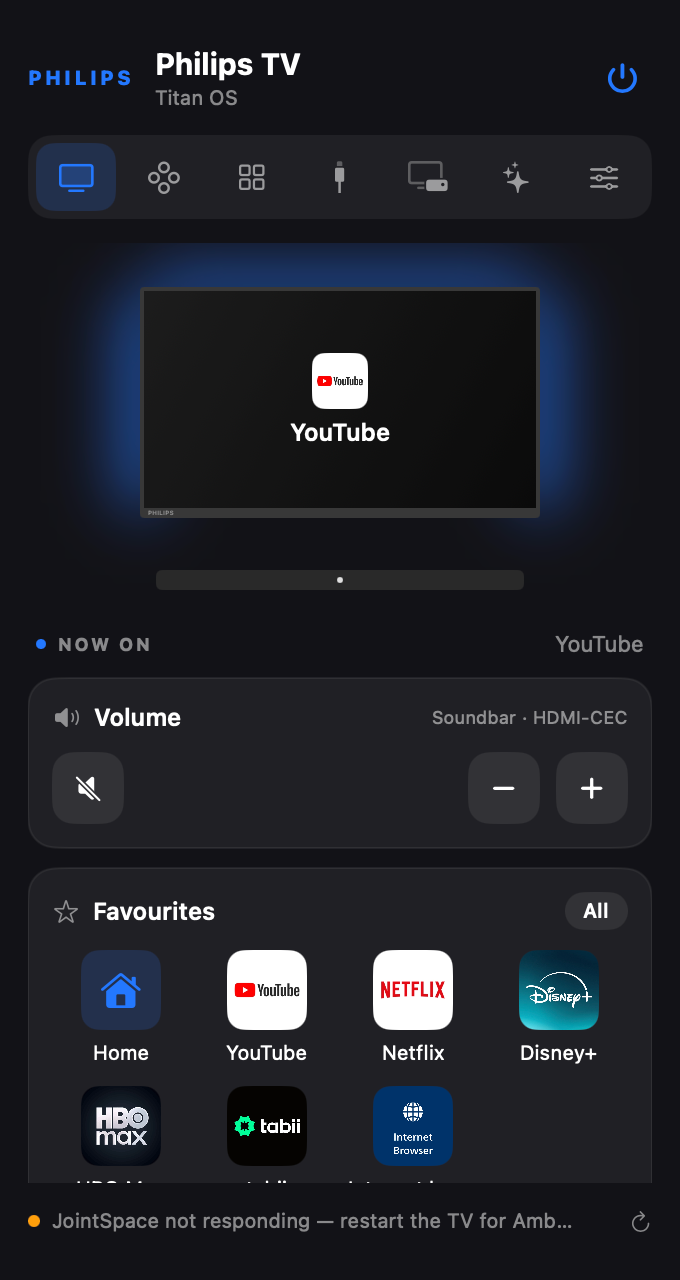
So we put the working pieces into a native macOS menu bar application with SwiftUI. Different integrations handle different things: JointSpace for a range of controls, MQTT for Titan OS remote and app actions, DIAL for supported app launches, and YouTube’s Lounge interface for YouTube playback controls.
The app grew into a proper little remote: streaming app buttons, volume and directional controls, HDMI sources, Ambilight settings, and controls for the Orange TV decoder connected to my setup.
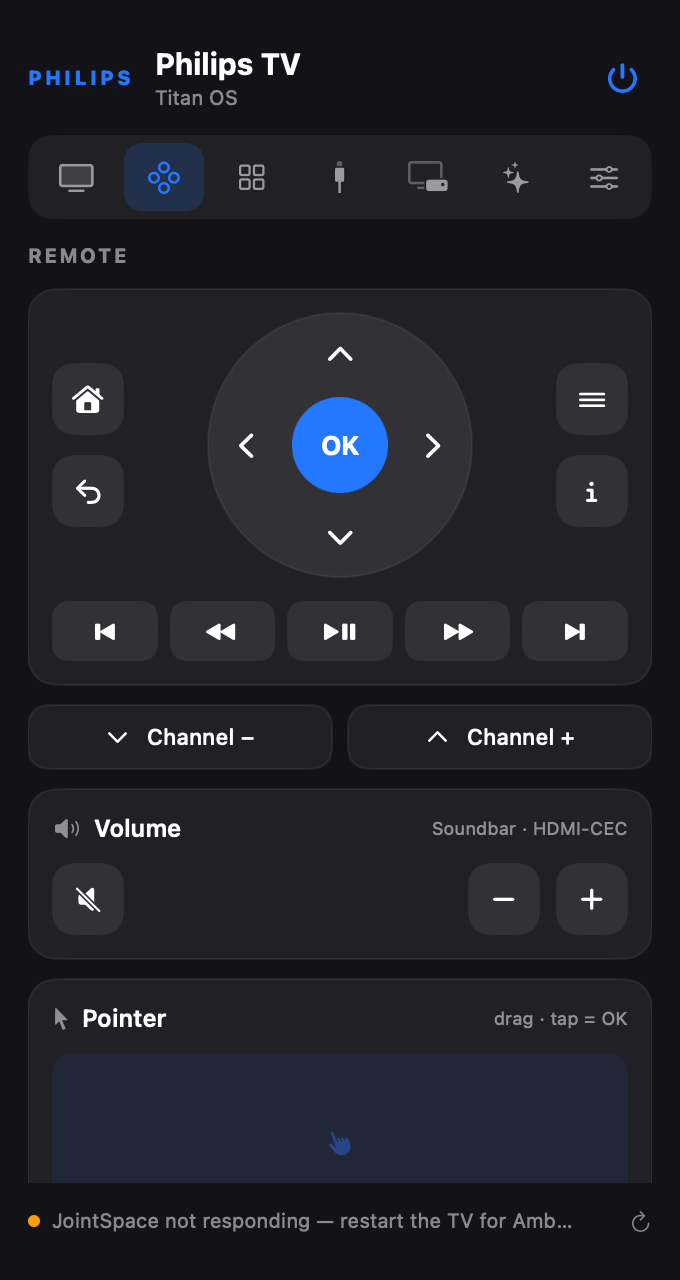
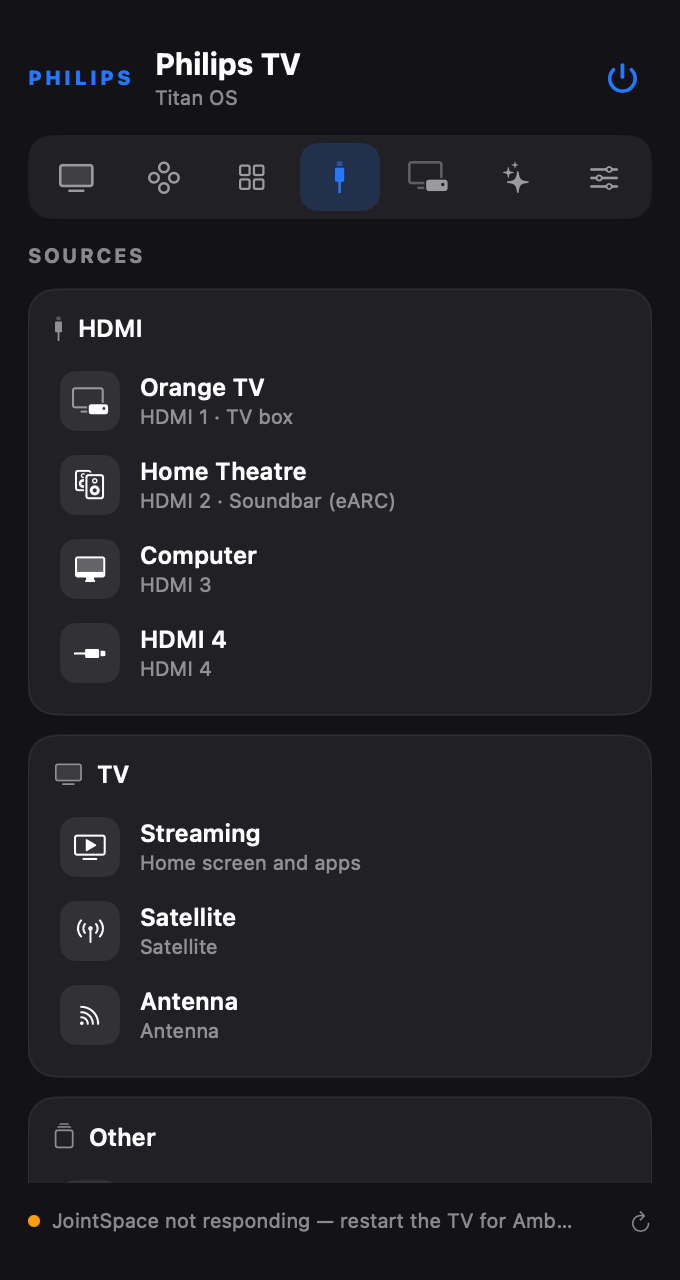
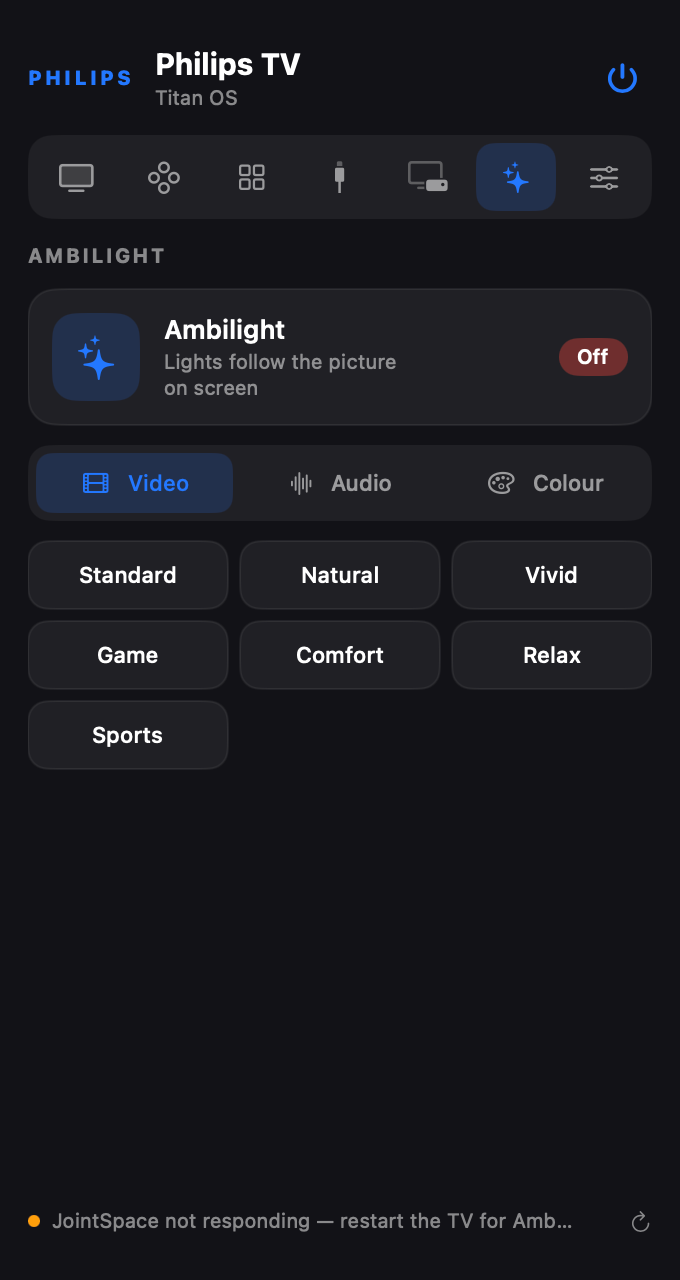
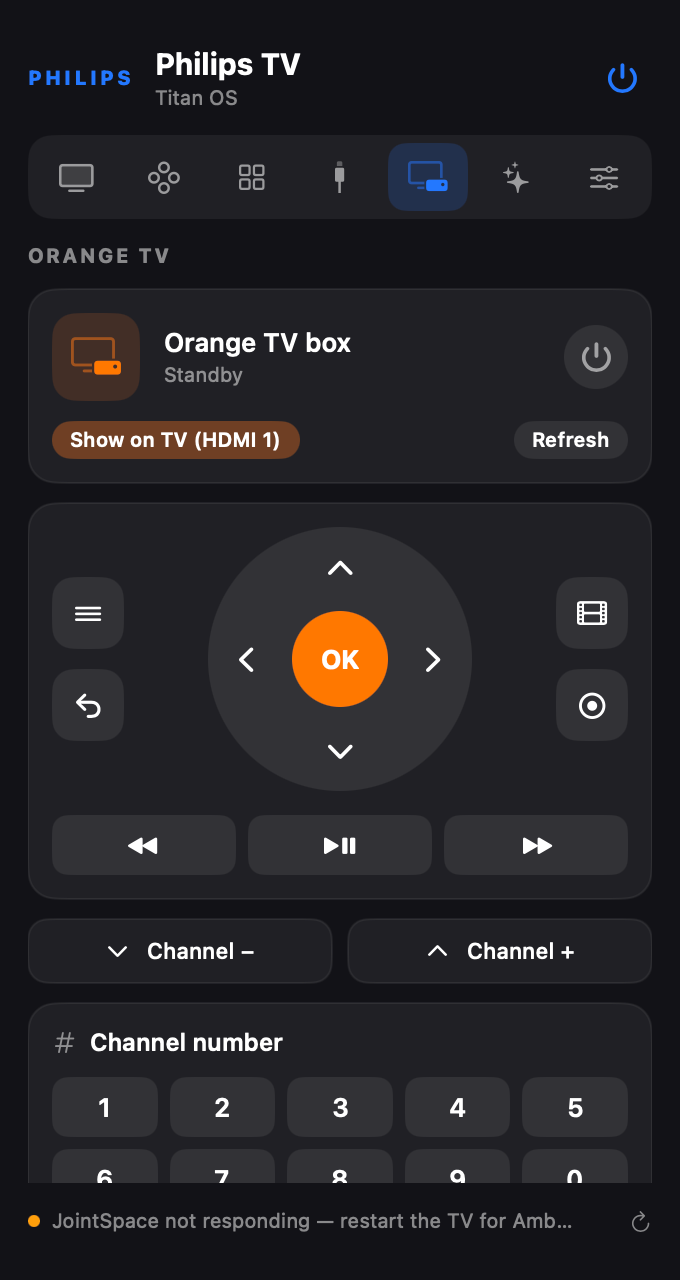
We also spent time on the interface. At one point it looked too crowded. Just because we could add another button didn’t mean we should put it on the main screen. We rearranged the controls and made device-specific features conditional.
An app should not show Orange decoder controls if it cannot find the Orange decoder. That seems obvious until you start building things and adding features faster than you can organize them.
Of course, it broke things
I don’t want this to sound like I wrote one perfect prompt and came back to a finished product.
Some calls returned success and did nothing. The application occasionally showed the wrong TV state. We had a case where YouTube was clearly playing but the Mac app thought the TV was off. macOS network permissions caused problems after rebuilding. Ambilight needed more investigation than I expected.
We also had moments when the TV became unresponsive and I had to recover it before testing again.
The AI made mistakes. Sometimes it was confident about the wrong interpretation of a response. Sometimes it suggested something that would be quick to implement but awful to use.
My job wasn’t to nod along. I described what I saw, rejected things that didn’t make sense, asked it to research different ideas and tested again.
This is still software development. There are bugs and wrong assumptions. The difference is that I could move from an idea to an experiment without first spending days learning every unfamiliar tool.
Build, build, build
This is the part I care about most. Not Philips. Not MQTT. Not even the app itself.
I have a software engineering background, but I had never built a native macOS app like this and I knew very little about the protocols inside Titan OS. A few years ago, that would probably have been enough to push the idea to the bottom of my to-do list.
Not because it was impossible. Because it was a lot of work for a small thing I wanted at home.
Today I can sit down, open an AI coding assistant and start typing what I want.
I don’t need to know every framework, library or protocol before I start. I need to explain the problem, say what the result should look like, check whether it works and keep giving feedback. The AI can take on much of the technical implementation.
It doesn’t matter if today that tool is Claude and tomorrow it’s Codex or something we haven’t heard of yet. The name of the tool is not the story.
The story is that building things has become ridiculously accessible.
For years, we have adapted ourselves to software other people made. Don’t like the interface? Live with it. Missing one very specific feature? Hope someone adds it. Need a tiny tool that doesn’t exist? Search for workarounds.
But why?
You can try building your own.
It might not work on the first attempt. Mine certainly didn’t. You still have to explain, test, question and improve the result. But the barrier between imagining something and making it real has never felt smaller.
So if you have an idea sitting in your notes, stop waiting until you have time to learn everything about it.
Open your laptop. Start a conversation. Explain what bothers you and what you wish existed. Let the AI work on the technical parts. Test what it gives you. Keep going.
Build, build, build.
Your next idea might be just a few messages away.
The project is open source
I published the source code and technical notes on GitHub: bedirhanyildirim/philips-titan-os-55pml9019-remote
It was developed and tested around my Philips 55PML9019/12 running Titan OS. Other models or firmware versions may behave differently, so I wouldn’t promise that every feature works everywhere.
The repo is there if you want to explore the implementation, learn from the experiments or improve it for your own setup.
This all started because I saw someone controlling an air conditioner from a Mac. Now I have a TV remote in my menu bar. And I’m already thinking about what I want to build next.